Any AI today. Any AI tomorrow.
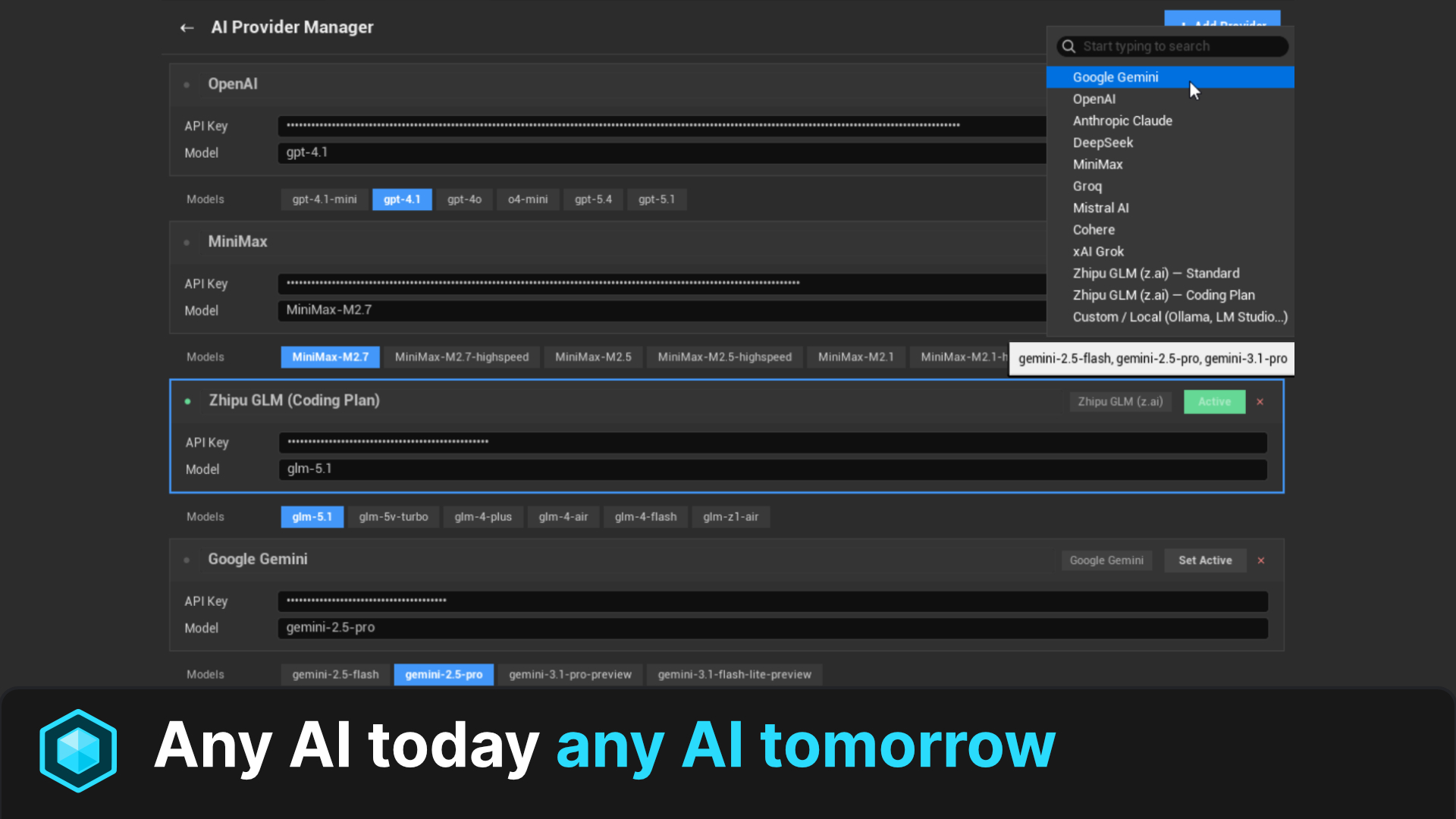
11 AI providers preconfigured + custom endpoint for any OpenAI-compatible API. Native C++ MCP bridge for Claude Code, Cursor, Codex, Gemini CLI. Describe what you want: Blueprints, and watch it come to life.
The most comprehensive
AI engine for UE5
Natural language to everything
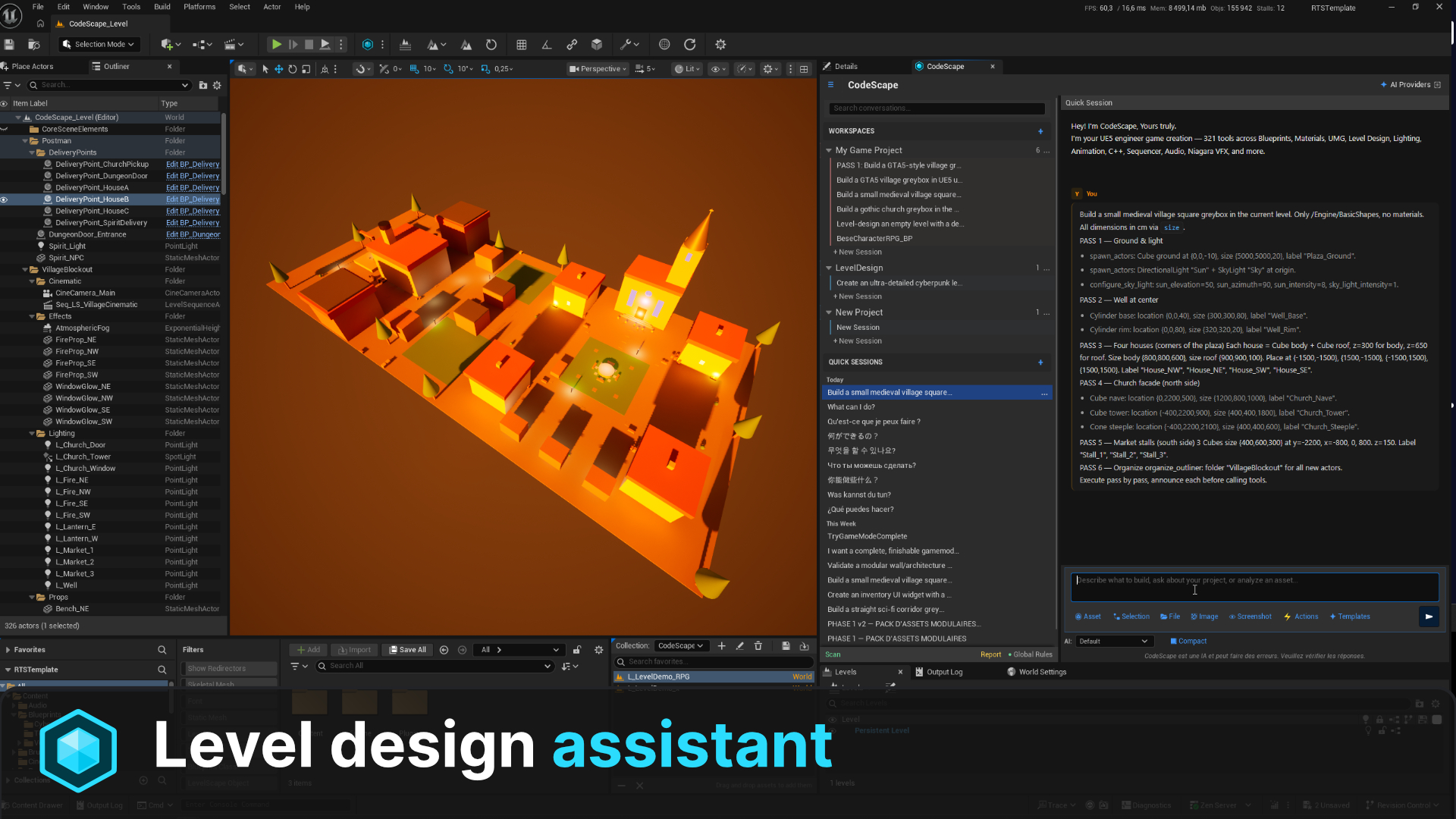
Describe any game system in plain English. CodeScape translates your words into Blueprints, Materials, Niagara VFX, Level Sequences, Audio setups, and more. All native UE5 assets.
Contextual per-asset chat
AI session panels auto-injected into every editor, Blueprint, Material, Widget, AnimBP, BehaviorTree. Context-aware AI that understands what you're editing.
NodeForge Blueprint compiler
Advanced DSL-to-Blueprint compiler with 13-phase auto-layout engine. Generates production-ready node graphs with proper pin routing and reroute nodes.
100% native C++
Zero Python dependencies. Pure C++20 built directly on UE5 APIs. No external runtime, no overhead, just raw performance integrated into the editor.
Any AI, today or tomorrow
11 providers preconfigured (Claude, OpenAI, Gemini, DeepSeek, MiniMax, Groq, Mistral, Cohere, Grok, GLM, Ollama) plus a custom endpoint for any OpenAI-compatible API: OpenRouter, Together, vLLM, LM Studio, your self-hosted model. New LLM ships next month? Plug it in on day one. No plugin update required.
Any language. Native fluency.
Prompt CodeScape in English, French, Spanish, German, Japanese, Chinese, Portuguese, Arabic, Korean. Whichever language you think in, your AI provider is already natively multilingual: prompts go in verbatim, replies come back in the same language. Zero translation layer, zero setup, zero extra tokens.
Automatic backup & undo
Every write operation is protected. Pre-modification backups and FScopedTransaction support ensure you never lose work. Safety built into every tool.
Every editor.
One chat per asset.
Open a Blueprint, a Material, a Widget, an AnimBP, a Behavior Tree, or a Static Mesh. CodeScape docks a contextualized AI session right inside the editor. Same chat widget, different bound asset, different toolset. Plus a Fix button when a Blueprint won't compile.
Click any tab to switch the bound asset.
The workspace
is your home base.
Most AI plugins give you one chat. CodeScape gives you a workspace per system. Each one has its own color, instructions, knowledge base, and history. Take a guided tour, or click around freely.
329 tools.
One neural network.
Every node represents a tool category. Connections show how systems interact. Click any node to explore.
Built for every
game creator.
Indie developer
Prototype entire games in hours instead of weeks. One person can now do the work of a small team, from Blueprints to cinematics to audio.
AAA Studio
Automate repetitive pipeline tasks across hundreds of assets. Batch operations, validation, naming conventions, all from natural language commands.
Technical artist
Create complex materials, Niagara VFX, and rendering configurations without writing a single line of shader code. Describe the look, get the nodes.
Game designer
Design gameplay systems, AI behaviors, level layouts, and cinematics using natural language. Focus on the design, not the implementation details.
Any AI today.
Any AI tomorrow.
11 providers preconfigured out of the box, plus a custom endpoint for any OpenAI-compatible API. OpenRouter, Together, Fireworks, vLLM, LM Studio, your self-hosted weights, your company's internal gateway. New LLM ships next month? Plug in its URL on day one. Bring your own API keys. No middleman markup. No waiting for plugin updates.

Google Gemini
Up to 1M context with vision. Free tier on Google AI Studio.

Anthropic Claude
Sonnet 4.6 and Opus 4.6 for deep reasoning. 200K context, vision-capable.

OpenAI
GPT-5.x family and o-series reasoning models. 272K to 768K context.

DeepSeek
V3 chat and R1 reasoner. Strong code generation, competitive pricing.

MiniMax
M2.7 family with strong agentic tool-calling. 205K context.

Groq
Ultra-fast inference on Llama 3.3, Llama 4, and Qwen 3. Latency-first.

Mistral AI
European LLM, multilingual. Codestral tuned for code generation.

Cohere
Command-A and Command-R+ for retrieval-augmented enterprise workloads.

xAI Grok
Grok-4 reasoning-first models with long context and tool use.

Zhipu GLM (z.ai)
GLM-5.1 flagship. OpenAI-compatible. Standard or $18/mo Coding Plan.

Local / Ollama
Run your own model locally. Full privacy, zero cloud dependency.
Custom endpoint / ∞
Any OpenAI-compatible API. OpenRouter, Together, Fireworks, vLLM, LM Studio, internal gateways, the model that ships next month. Paste URL + key. Done.
Your favorite CLI,
talking to your editor.
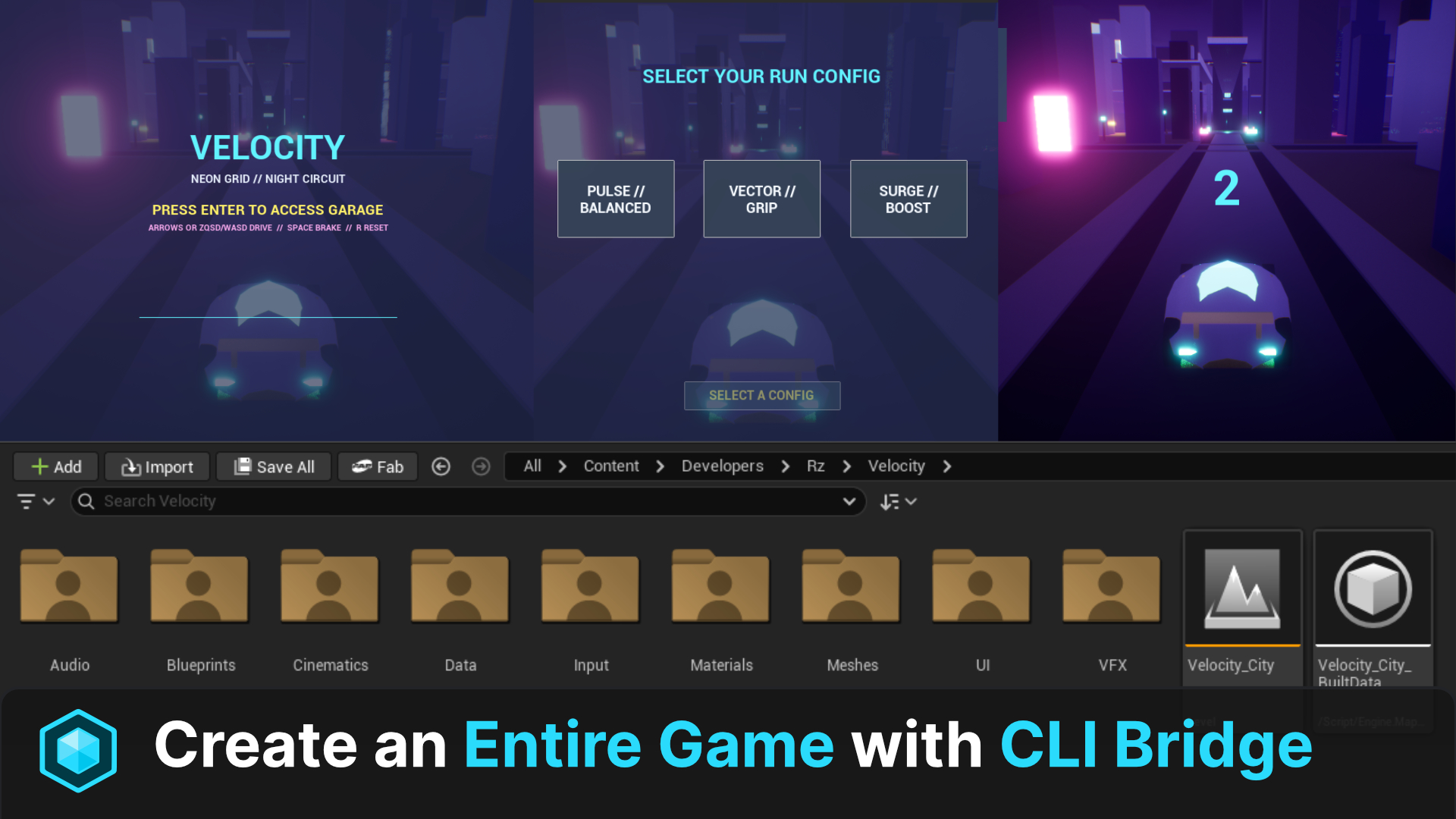
CodeScape ships a native C++ MCP server baked into the editor. No Python sidecar. No proxy. No 3rd-party bridge to install or update. Open Claude Code, Cursor, Codex, Gemini CLI (or any MCP-compatible client) and pilot Unreal Engine 5 directly through the standard Model Context Protocol over localhost.
Claude Code
Anthropic's agentic CLI: long-running tasks, subagents, full editor control via MCP.
Cursor
Connect Cursor's chat directly to your live UE5 editor. Build assets without leaving the IDE.
Codex
OpenAI's agent CLI orchestrates 329 native UE5 tools through the same MCP standard.
Gemini CLI
Google's CLI agent runs the full toolset with massive 1M-token context windows.
Any MCP client / ∞
Standard Model Context Protocol. If it speaks MCP, it talks to CodeScape. Your stack, your call. Today and tomorrow.
MCP server binds to 127.0.0.1 only. OFF by default. You enable it explicitly. Zero exposure to the network.
Engineered for
Unreal Engine.
Natural language input
User describes intent via contextual chat panel docked in any asset editor
Prompt reformulation
AI pre-processes and enriches the request with UE5 context and asset state
AI provider dispatch
Request sent to selected provider with 40KB+ dynamic system prompt
Tool call extraction
Response parsed for tool invocations via JSON + brute-force scan fallback
Tool registry dispatch
O(1) TMap lookup routes to the correct tool among 329 registered tools
Native UE5 execution
Tool executes natively, Blueprint nodes, material graphs, actors, VFX, all real assets with undo support
Depth and breadth,
by design.
Most AI plugins for Unreal Engine focus on Blueprint generation alone. CodeScape was built to cover the entire engine. Here's how it lines up against what you'll typically find on the marketplace.
Frequently asked
questions.
Everything you need to know before installing. Missing something? Open an issue on GitHub or ping us on Discord.
Do I need to install Python?
No. CodeScape is 100% native C++20, built directly on top of UE5 APIs. There is zero Python sidecar, zero external runtime. You install the plugin and it just works.
Which Unreal Engine versions are supported?
UE 5.7 and later. Earlier 5.x versions may compile but are not officially supported, since CodeScape uses recent Editor APIs (Material expression layout, Sequencer evaluation, World Partition introspection) that landed in 5.7.
Do I bring my own API keys, or do you charge me a markup?
You bring your own keys. CodeScape never proxies your prompts and never marks up tokens. You pay your AI provider directly at their public price. The plugin only orchestrates calls inside your editor.
Where does my code and prompt data go?
Only to the AI provider you select, exactly as if you were using their official client. The MCP server binds to 127.0.0.1 only and is OFF by default. No telemetry, no analytics, no third-party callouts. Logs stay on your machine.
Can it run fully offline?
Yes, with Ollama or any local OpenAI-compatible runtime (LM Studio, vLLM, llama.cpp server). Point the custom endpoint at http://127.0.0.1:<port>, paste your model name, you're set. Full air-gapped pipeline, no cloud roundtrip.
A new LLM ships next month, do I have to wait for a plugin update?
No. Add it via the custom endpoint feature: paste the OpenAI-compatible URL, the model name, and your key. It works on day one. The 11 preconfigured providers are just convenience defaults, not a hard limit.
What's the difference between the in-editor chat and the MCP CLI bridge?
The in-editor chat is a contextual panel docked next to whatever asset you're editing (Blueprint, Material, Widget, AnimBP, BehaviorTree). The MCP bridge exposes the same 329 tools to external clients like Claude Code, Cursor, Codex, or Gemini CLI through the standard Model Context Protocol. Same tools, two entry points.
Can it break my project? What about undo?
Every write tool wraps its action in FScopedTransaction (native Ctrl+Z) and writes a pre-modification backup to Saved/CodeScape/Backups/. If a generation goes wrong, hit undo in the editor or restore the backup file. Nothing destructive happens silently.
Does it work with Blueprint-only projects, or do I need a C++ project?
Both. The plugin ships as compiled binaries, so a pure Blueprint project picks it up from the Plugins folder without recompiling. C++ projects work identically, with full source available for inspection and customization.
Can I use it in a commercial / shipped game?
Yes. CodeScape is an editor-only tool. It is not packaged into your shipping build, it has zero runtime cost, and the assets it generates (Blueprints, Materials, etc.) are 100% yours, native UE5 assets you can ship and license freely.
Ready to build
with AI?
Transform your Unreal Engine workflow. Describe it. Build it. Ship it.